Check a company, or a single document.
See whether a business's compliance system is issued and kept current by Passmark, and whether a document you have been handed is genuine and the latest version.
Verify opens when Passmark launches. Until then, the sample company and sample document on this page show exactly how a check will work.
The code is printed on every Passmark cover and footer, next to the QR code. Preview: try (a made-up sample company).
Scan the QR code on a Passmark document, or type the Passmark ID printed beside it. Preview: try (sample).
Passmark issues and keeps compliance documents current. It is not an approval of a contractor's work, and it does not replace your own checks. Evidence marked "copy held" has been seen by Passmark; "register checked" has also been confirmed on the scheme's own public register on the date shown. We never show anything personal about the people who work there.
Trust you can check in seconds.
Every Passmark document carries a company code and a QR code. Anyone handed one can check it here, for free, without an account and without ringing the business.
- Find the codeIt sits on every Passmark cover and footer, beside the QR code. Company codes look like HRT-4XP9.
- Scan or type itScan the QR code with a phone camera, or type the code into the box above.
- See the answerGenuine and current, superseded, or not found. You see straight away which version is the live one.
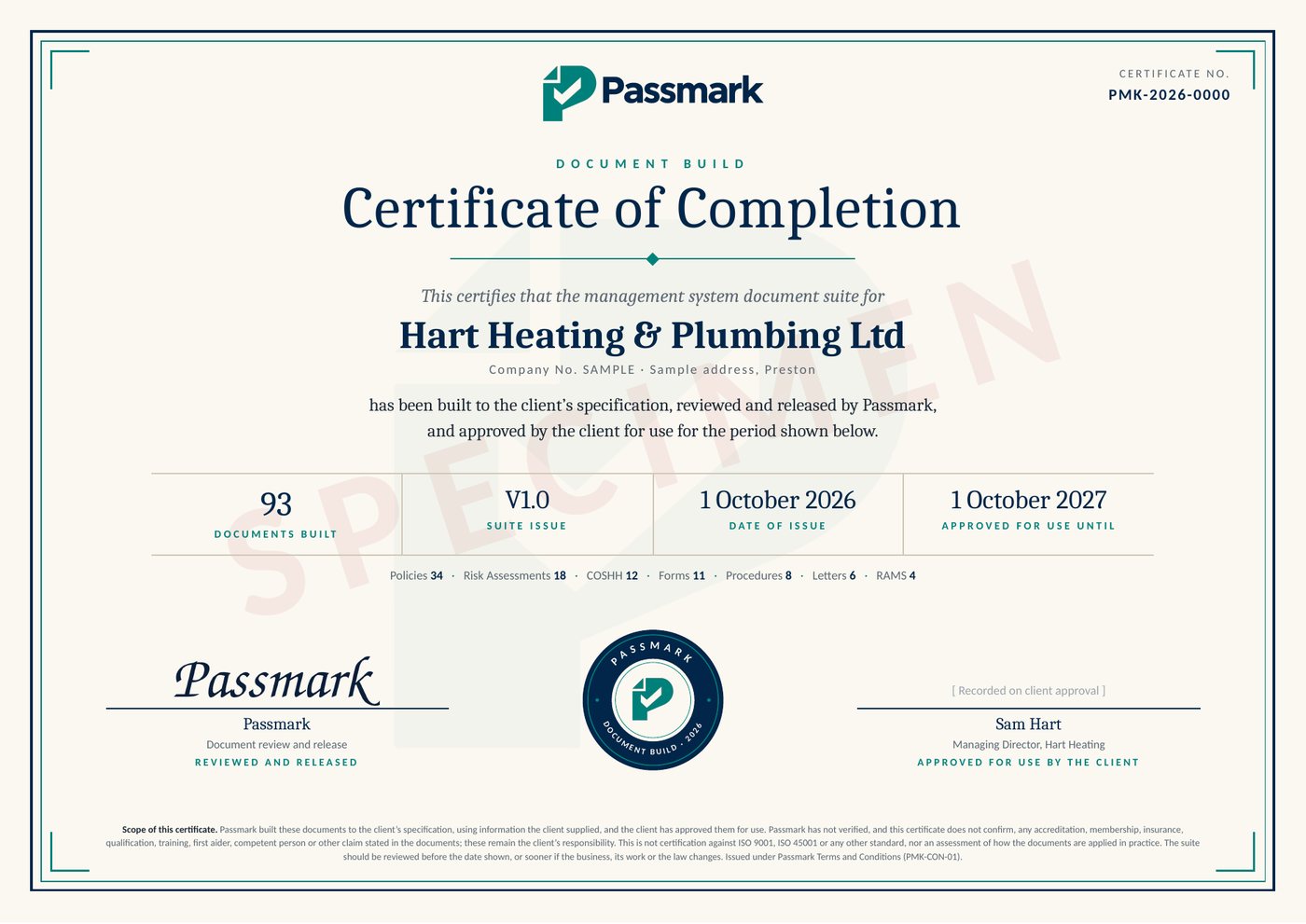
A Certificate of Completion for every full set.
When a business approves its full document set, Passmark issues a numbered certificate. It can be downloaded from their company check on this page.
- How many documents were built, and of what type
- The date of issue, and the date it is approved for use until
- Reviewed and released by Passmark, approved by the business
- A certificate number that can be checked here